In the crypto world, understanding token accumulation or dumping trends by whales or market makers can provide an edge in your trading decisions. Many traders rely on expensive platforms like Nansen for tracking this activity, but did you know you can achieve similar results with free tools like Dune, Etherscan, and Arkham?
In this guide, we’ll show you how to track token movements and whale activity, using $ONDO as a case study. With these tips, you can easily analyze token balance changes and make more informed investment decisions—without spending $100/month on a Nansen subscription.
The Theory Behind Token Analysis
The goal is to:
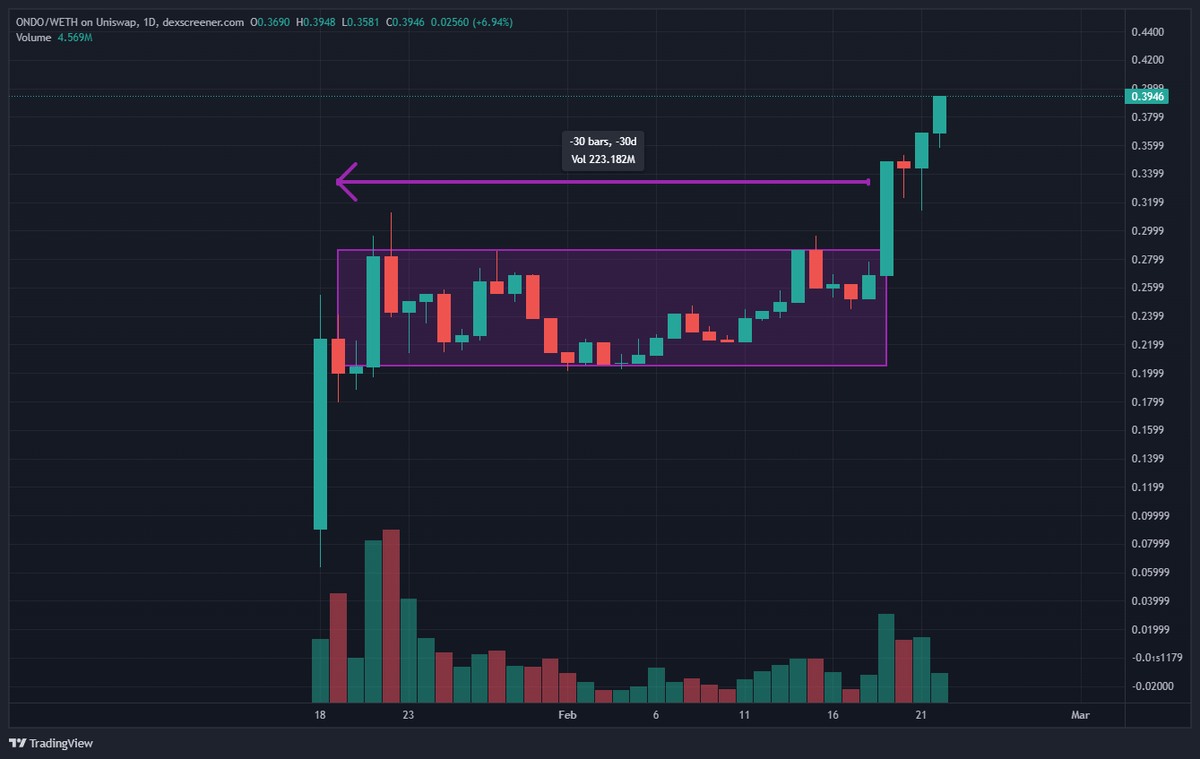
- Identify solid projects that are currently in sideways price action (SW), and where you suspect whales or market makers (MM) are accumulating tokens.
- Check wallets with the largest balance changes to confirm accumulation or dumping.
- Make a decision to buy and hold based on this data.
Step-by-Step Guide
Step 1: Access Dune Analytics
First, head over to the following Dune Dashboard:
Token Analysis Dashboard
Step 2: Input the Necessary Information
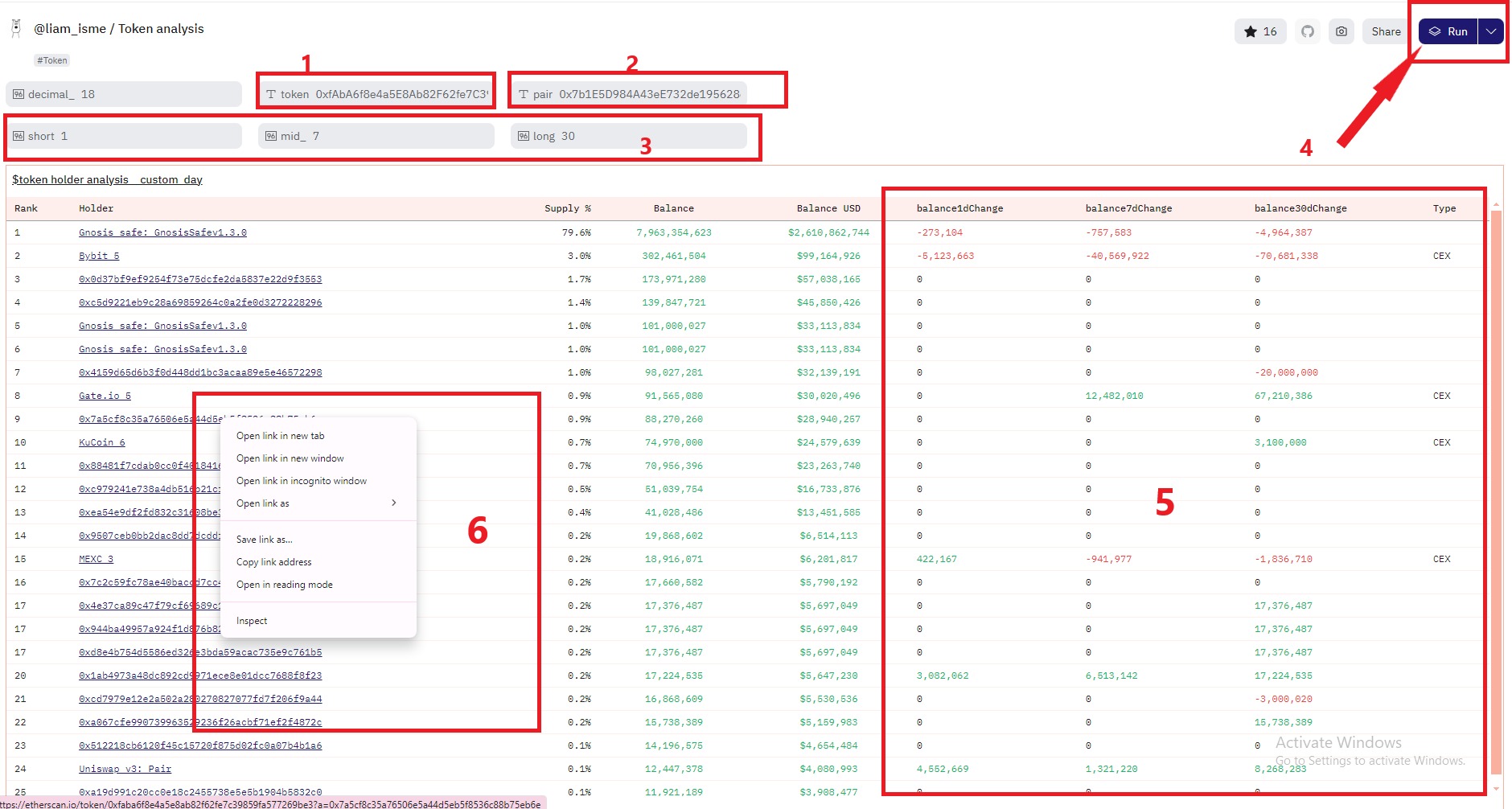
- Token Address: Enter the contract address of the token you want to analyze (e.g., $ONDO).
- Liquidity Pool Address: Provide the address of the token’s liquidity pool on a DEX.
- Short, Mid, Long Terms: These are the timeframes you want to analyze. You can set them for 1 day, 7 days, or 30 days (similar to Nansen’s default settings).
- Run the Analysis: Click “Run” and wait for the dashboard to generate results.
- Top Holder Balance Changes: Look at the “Balance Change” section, which shows how token balances have fluctuated among top holders.
Pay close attention to wallets with increasing or decreasing balances over time, as this data will indicate whether whales are accumulating or dumping tokens.
Step 3: Sorting Wallets by Balance Changes
Once you have the results, sort the wallets by their balance changes to check for two important factors:
- Wallets with the largest decreases in token balance (likely dumping).
- Wallets with the largest increases in token balance (likely accumulating).
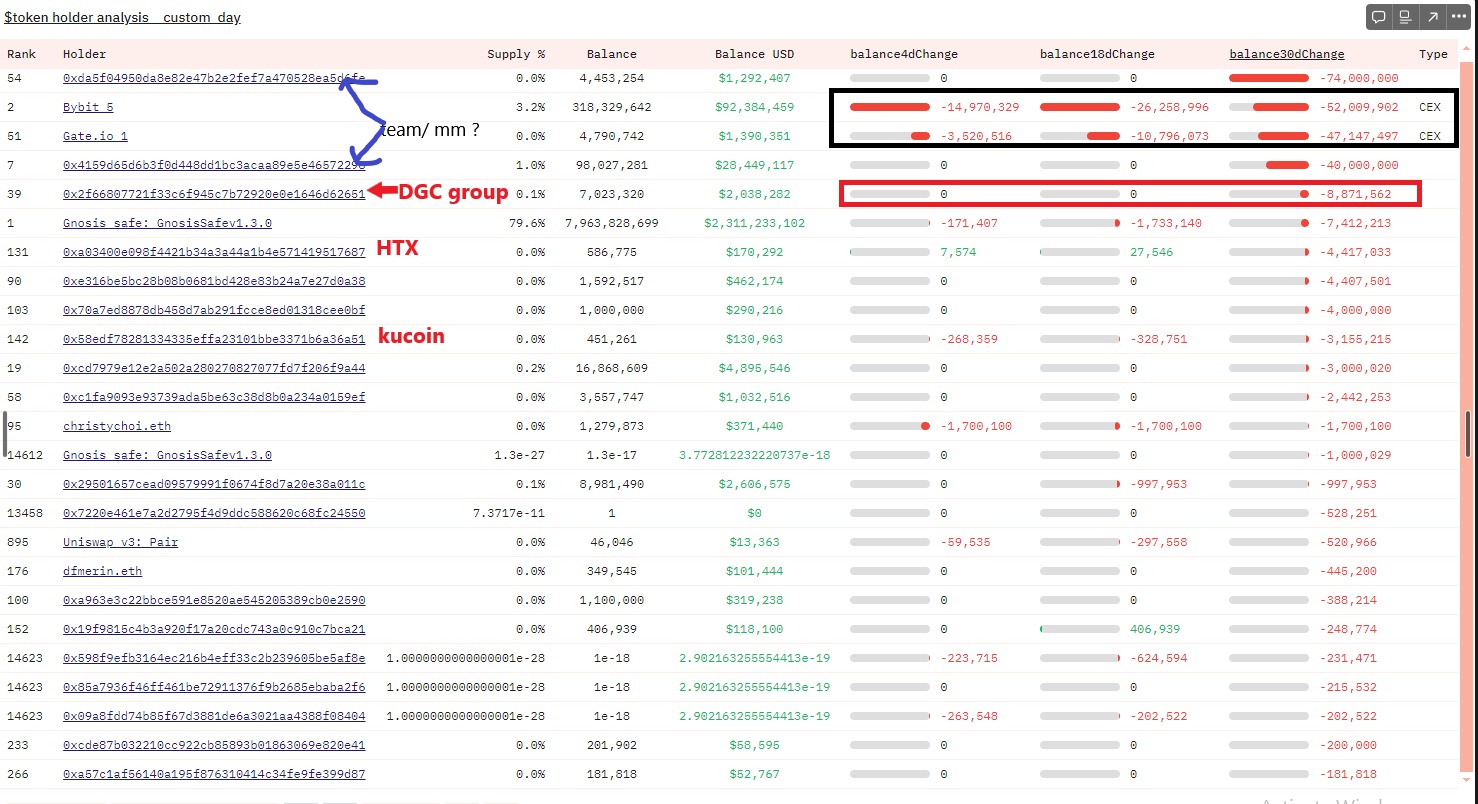
Case Study: $ONDO (Data from February 19th)
- Top Decreasing Balances:
- Team wallet: No significant movements.
- Exchange wallets: Bybit, Gate.io.
- DCG Group: Reduced due to transferring tokens to unidentified wallets.
- Top Increasing Balances:
- The top four wallets (ranks 16–20) accumulated $ONDO from Coinbase. These are unidentified wallets (“white wallets”).
- Another wallet (rank 31) accumulated $ONDO from DCG’s private purchase wallet.
- In total, this fund has accumulated over $20M and is currently holding around $25M in $ONDO.
- Several other unidentified wallets are also seen accumulating $ONDO from CEXs.
- Some whales with a net worth of $20M have been actively accumulating $ONDO from DEXs.
Bonus: Use Arkham for Additional Verification
Once you have a wallet you’re interested in tracking:
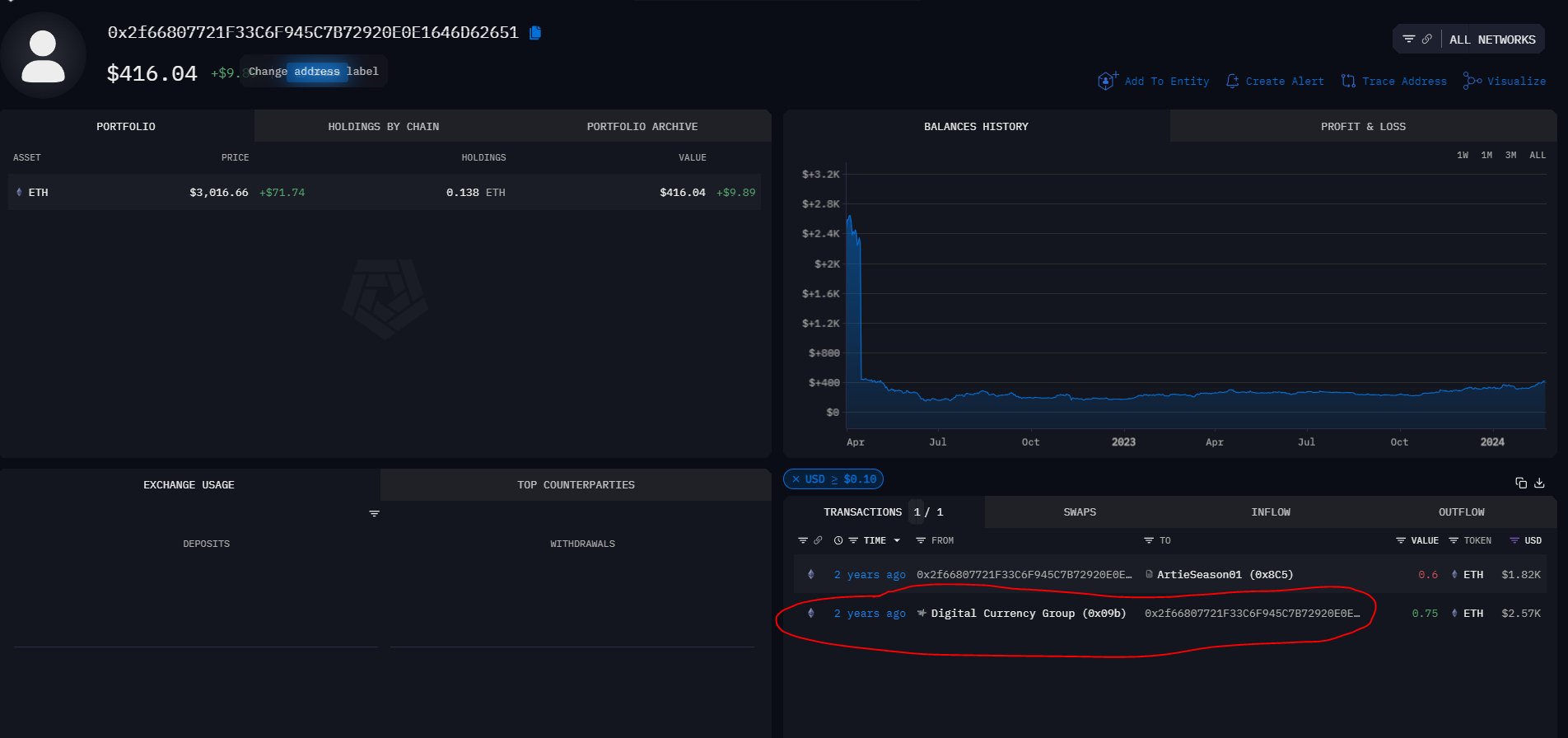
- Open a tab for Arkham.
- Paste the wallet address to verify the identity of the holder. This is particularly useful if Dune or Etherscan doesn’t have labels for those wallets.
Conclusion:
By using a combination of Dune, Etherscan, and Arkham, you can analyze token movements and track whale activity without the need for costly tools like Nansen.
In the case study of $ONDO, we discovered significant whale accumulation, particularly by large unidentified wallets withdrawing from exchanges like Coinbase. This kind of data can be vital for making informed buy-and-hold decisions.
So, next time you’re thinking about token movement analysis, try these free tools and see if the data aligns with your trading strategy.